




PROFESSIONAL SERVICE AUTOMATION SOLUTIONS
Professional Services teams run on plans – but most planning still happens in spreadsheets, disconnected from the data that matters. XLRS Planner brings your forecasting into your PSA system.
Most professional services teams face a “planning gap.” While execution happens in the PSA, strategic forecasting drifts back into Excel, leading to fragile forecasts and manual reconciliation.
Fixed-Fee Fragility: Milestone forecasts depend too heavily on resource schedules.
Profitability Guesswork: P&L models live in disconnected spreadsheets.
Resource Drift: PMs lack time to constantly reschedule, leading to outdated utilization views.
Handoff Friction: Estimating requires too much setup before the work is even won.
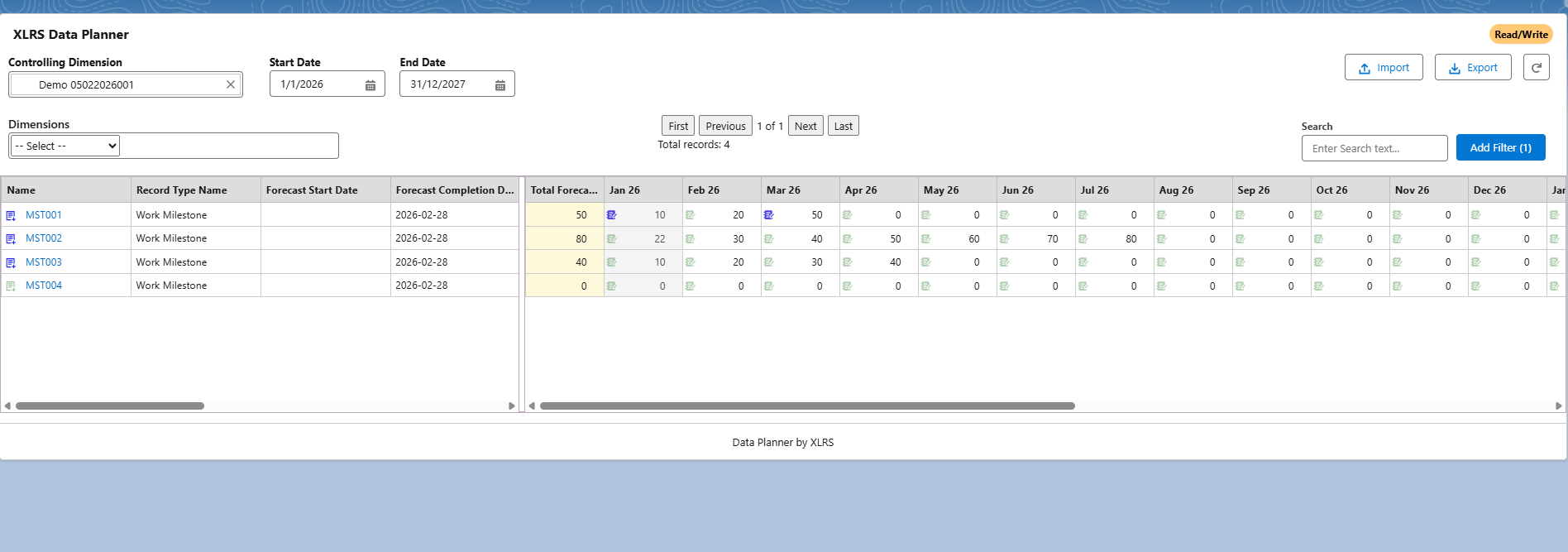
Phase milestone progress monthly by percentage (e.g., 30%, 55%, 80%) to automatically calculate revenue. Stability is restored because staffing changes no longer distort your financial forecast.
Map resources to projects across a forward horizon (2–6 quarters) in an intuitive month-by-period format. Identify gaps before they affect delivery.
Build a month-by-month P&L for each project. Apply blended rates to hours and include direct/indirect labor costs to see the full financial picture.
Move from a high-level Rough Order of Magnitude (ROM) to a detailed task-based quote without building a full project setup first.
XLRS Planner is a native Salesforce application. It complements your existing PSA (Certinia, Klient, Mission Control) without replacing what is already working.
Step 1: Discovery & Use Case Validation.
Step 2: Salesforce Package Installation.
Step 3: Object Mapping (Milestones, Resources).
Step 4: Configuration & Enablement.
No, it provides complementary planning capability that is not native to the core system.
Yes, a system-driven approach is more defensible than disconnected Excel files.
Yes, it can pair with your existing engine or the XLRS Revenue Recognition solution.

We use cookies to improve your experience on our site. By using our site, you consent to cookies.
Manage your cookie preferences below:
Essential cookies enable basic functions and are necessary for the proper function of the website.
Google Tag Manager simplifies the management of marketing tags on your website without code changes.
Statistics cookies collect information anonymously. This information helps us understand how visitors use our website.
Google Analytics is a powerful tool that tracks and analyzes website traffic for informed marketing decisions.
Service URL: policies.google.com (opens in a new window)
Marketing cookies are used to follow visitors to our website and assist in providing value based services.